Top 10 Cross-Browser Testing Tools That You Should Know

Top 10 Cross-Browser Testing Tools That You Should Know Avakash Dekavadiya Cross-browser testing is a big headache for software testers to ensure websites and web apps work across the maximum number of web browsers. Faulty cross-browser testing becomes one of the reasons for website failure that even impacts the website performance and ultimately business success. That’s where cross-browser testing tools minimize the testing efforts and time of the software testers. There are many software testing tools available that are paid or free to get the software tested for browser compatibility. In this blog, we will take a tour of software quality assurance and software testing comprises of cross-browser testing, reasons to use cross-browser testing, cross-browser testing tools, and how to perform cross-browser testing. Let’s dive in! What is Cross Browser Testing? Cross Browser Testing involves testing the application on multiple browsers to ensure that the web app works seamlessly without any interruptions.It’s essentially a type of non-functional testing that tests the website performance, user interface, CSS, web content accessibility, design responsiveness, header and footer, page styles, data format, page content alignment, font size, page zoom-in and zoom-out functionality, images and alignment, and web app performance on the different operating system and different browsers. For instance, if you’re trying to open a website in IE browser and it doesn’t work, so in that case, what would you prefer? You will try to open the application in another browser and cross-browser testing ensures the website or web app works everywhere. HIRE OUR QA EXPERTS Contact US Why do we need Cross Browser Testing? Bringing browser compatibility errors into the limelight is all-important for software quality assurance to debug and fix the errors quickly. When users leverage different browsers to open a website but browser compatibility issues, misalignment issues, slow image loading, and performance issues won’t allow them to browse the website effectively. It drifts away the part of the target audience- only because the website won’t be on the specific browser. Here, Cross Browser Testing plays a critical role in the website development lifecycle. How to perform Cross Browser Testing? There are two ways to execute cross-browser software testing to ensure that website performs impeccably everywhere and makes the target audience happy. They are- Manual Testing It’s an age-old form of cross-browser software testing where the testers manually test the application on different browsers to figure out if it works on all browsers or not.However, manually testing the application for two or three browsers is feasible, but what to do when a developed application used by thousands of users works on a wide range of browsers? In this case, it increases complexity, time, and cost, so it’s leveraged when testing applications on a limited number of browsers are involved. Automated testing Automating testing is the best alternative to manual testing which does not need testers to install different browsers on the system to manually test applications. Also, Cross Browser Testing needs to be done frequently where automated testing is the best solution. Testers only need a platform and their versions installed on their servers so that they can test web apps on targeted versions and thereby time and cost will get saved, and used effectively. Mobile app testing services use test automation services and QA automation services at scale. Top 10 Cross-Browser Testing tools that the QA team highly leveraged BitBar Bitbar is a popular testing tool that enables running automated test on more than 2050 browsers in real-time. With no lab maintenance required, the cross-browser testing tool enables testing web app in real environments to ensure the web app work as expected. It is champion because of the ability to run automated tests parallelly across devices and browsers that increase test coverage in reduced test execution time. Live and automated testing on real browsers give an edge to the testing tool. High compatibility and flexibility to use favored testing frameworks make it a favorite of testers. Automatic device cleanup between every session keeps the security tight that businesses expect on priority. LambdaTest The cloud-based, cross-browser testing tool allows developers to test the app on more than 3000 browsers, operating systems, and real devices. The powerful testing platform reduces the time to market the app due to secure, reliable, and high-performance test execution. It guarantees faster test execution as compared to other cloud offerings with live interactive cross-browser testing. What’s more? It accelerates the development to release process by providing instant feedback on code changes, fairly managing flaky tests, and keeping testers working calmly. The testers can select a wide range of Windows and Mac OS, along with all legacy and current browsers. Also, testing websites or web apps on the latest mobile browsers with Android and iOS becomes a breeze. HeadSpin The automated cross-browser testing tool available online is an easy-to-use tool that’s developer-friendly and facilitates continuous monitoring of app performance leveraging synthetic data for higher availability. It runs cross-browser tests remotely on all types of apps be it a mobile app, web app, video app, or audio app worldwide. The cross-browser testing tool enables testing browser compatibility on the go results in improved team productivity, faster development, and quality delivery with support for CI/CD and DevOps implementation and real-time feedback capturing. Mobile app testing services spin the bug’s head leveraging the HeadSpin tool. Virtuoso It’s one of the first Robotic Test Automation platforms that bring the manual work out of functional and visual test automation. Combining NLP, RPA, and other AI technologies, Virtuoso test complex business processes at 10 times faster rate which makes it perfect for quickly discovering and resolving any issue on any browser. Increasing test coverage to 2000+ browsers and real devices, it ensures the app is fully responsive and avoids browser and device fragmentation of UX design. IBM, BVA, Ather, and Royal mint are the leading companies that have leveraged Virtuoso to test the web app anytime, anywhere. TestGrid TestGrid has revolutionized the way cross-browser compatibility is tested by automated testing tools with its ability to run tests on multiple browsers
QA Process: 8 Tips To Improve The Process To Optimize Results

QA Process: 8 Tips To Improve The Process To Optimize Results Avakash Dekavadiya Quality-driven apps have become all-important to ensure security, usability, credibility, and functionality of businesses. A single flaw in the app is not at all accepted by the users, which makes QA testing of the applications vital. However, the apps released into the market most often experience quality problems. The quality problem is not raised because of the lack of QA resources, but it’s due to the absence of proper planning and implementation. HIRE OUR QA EXPERTS Contact US It indicates app’s quality is ensured only when the software quality assurance process is incorporated strategically. In this blog, we will discuss the challenges associated with the QA process to their resolutions along with a few tips. Let’s dive in! What is a QA process? In the software development cycle, the QA process is a key element that assures that the software product meets the business goals by scheduling it from the beginning. QA process is the step-by-step approach that starts from the requirement gathering/analyzing to the final product release to meet the customer expectations. It helps in identifying the areas for improvement and optimization so that the final product/service will be tried and tested entirely before it’s available to the end user. What are the challenges in the traditional QA process? The software quality assurance process is not a bed of roses. It comes up with a set of challenges that the QA team faces. Take a glance at all those challenges: There’s no one-size-fits-all solution The same QA process doesn’t work for all types of applications as creating specifications matching the app’s requirements is important. With several types of testing available, it’s important to first understand the testing types and then identify which is more relevant for the app’s testing. It’s time-consuming QA process is a time-expensive process where testing activities eat up a lot of time as test cases are written from scratch despite using automated tools. When the app is continuously tested and updated, it extends the development time. Blurry expectations When project expectations are not clearly defined, then test cases written related to an unclear app’s objective won’t bring the expected results. The miscommunication around project expectations results in flawed software testing and a product that stakeholders won’t anticipate. Lack of automation Automated testing helps a ton QA and testing time in getting a quality product tested in reduced time and effort. However, using automation tools requires QA automation services and test automation services from a team of experienced and skilled QA and testers that have a great knowledge of when to use automation testing and when not. 8 Ways to Improve QA Process The Software QA process goes through a well-thought, well-organized set of planned steps to achieve quality outcomes. The test plan is modified based on the software testing needs. Here, we have summarized the tips to improve the QA process which will result in high-quality products/services. 1) Start Early Start involving the QA team from the very beginning phase of the Software Development Life cycle, which keep the QA and Development team on the same page. It also helps in clarifying queries regarding the requirements which can be functional, technical, and business requirements, which in turn helps the QA team in understanding the scope. One of the fundamental keys to building a successful project is clear and effective communication between all design, development, and testing team members. Involving QA Team in Requirement Discussions, application designs, and requirement-defining sessions, and different meetings enable them to accomplish the following tasks fairly. Prepare test strategy document. Prepare a test plan document and effort estimation of software testing. Testing team planning for testing activities. Test case writing. Test scripts writing for automation testing. Preparation of bug reports. Bug management through bug reporting tools 2) Testing Scope should be clear Agile software development is well-famous in the IT industry that’s facilitating changing project requirements in the middle of the project. however, the unclear scope and frequent changes in the project scope during SDLC create misunderstandings between the development team and the QA team regarding project requirements. Defining the project scope ahead of software development improves the Software testing process as the testing team has a pretty good understanding of software testing from the get-go. It enables the team to decide which tests need to execute to produce better results. 3) leverage test design techniques Exhaustive testing is a good approach to increase test coverage, but the principles of testing won’t allow the same. That’s where the test design technique stands out as the best solution that helps in reducing the number of test cases while increasing test coverage. Testing the right things not only affects the return on the testing investment but testing them in the right way also makes a big difference. The test design technique is a procedure for determining test conditions, test cases, and test data required during software testing. It aims to provide suggestions on test quality and risks that require the tester to collect information about the system’s behavior. It answers the following set of questions for the testing team- – Which different test cases (what to test and what not to)?– How to stimulate the system and with what data values (System behavior based on input data)– How many test cases are there (basically the volume of test cases that determine testing efforts)?– And how do we get these test cases?Test design techniques facilitate Boundary Value Analysis, Equivalence Class Partitioning, Decision Table Testing, State Transition Diagram, All Pair Testing, and Cause Effect graph method to get answers effectively. 4) Review when 20% of cases are written Test cases review is one of the important parts of the QA activities. Generally, when the same test cases are written, the QA team copy-paste a couple of steps. During copy-paste process, the mistakes are also copy pasted, which leads to wrong test case creation along with missing scenarios and coverage. So, if test cases are reviewed when 20% of test
React Native Vs Xamarin- Which Cross-Platform Framework Should You Choose?

React Native Vs Xamarin- Which Cross-Platform Framework Should You Choose? Avakash Dekavadiya According to Grandview research, “The mobile app market size valued $206.73 in 2022 and expected to reach $565.40 billion by 2030 at a CAGR of 13.4%.”The latest pandemic has geared up the businesses to go mobile, which has accelerated the mobile app development need worldwide. The increasing requirements to get the mobile apps developed at speed for both major platforms- Android and iOS have made things a little trickier for the development companies. Forward-thinking companies and savvy business leaders are looking for the best cross-platform app development framework 2022 that helps them meet the needs as expected. That’s where react and Xamarin turned out as the top mobile app development frameworks to build apps for multiple platforms at the time and cost of one mobile app development. With the unique business needs and growing technological possibilities, choosing one cross-platform framework is difficult. The decision process is ironed out with a side-by-side comparison of these two frameworks. Before digging deeper into the debate of React Vs Xamarin cross-platform framework to find the best mobile app development framework in 2022, let’s first understand react and Xamarin frameworks individually. What is React Native framework? React Native framework was built by Facebook’s engineer to improve mobile experiences in 2015, and later it was made available to developers by making it open-source. Gradually, the platform has evolved as a matured cross-platform development framework with all the capabilities baked into it, which enables native-like app development. With an easy learning curve, the framework renders native UI and hot reloading that speeds up development. The enormous possibilities for third-party plugin integration made leading brands such as Tesla, Discord, Walmart, and Shopify power their app using the framework.What is a Xamarin framework? Xamarin- the dot net framework was founded in 2011 and gets open-source when it’s bought by Microsoft in 2016. With Microsoft visual studio IDE and visual studio enterprise features, Xamarin has become a perfect fit for enterprise app development. the framework excels at converting platform-specific elements at runtime and rendering native-like experiences. The improved access to native APIs, built-in Xamarin forms, and .NET framework feature leverage make the framework a better fit in the shoes of cross-platform development. Most of the use of C# makes it easier for development companies to get developers that can work with the Xamarin framework. Xamarin vs. React Native- the side-by-side comparison determining which is better Performance The cross-platform frameworks are ill-famous for their performance which is compromised just for the sake of reduced development time, efforts, and cost. Nowadays, continuous upgrades have changed the scene. The best cross-platform app development framework 2022 is now delivering stable and high-performant releases. React Native is a JS-based framework that reloads the code by pushing a refresh to the app, thereby eliminating the compilation requirements. It relies on the chrome developer tool for debugging. It does not support 64-bit mode on Android and also shows poor results on iOS when code is executed. Compilation and development drastically impact the performance. Xamarin development provides native performance comparable to Java offers in Android app development and C# in iOS development. Xamarin test clouds facilitate developers to test the app during development consistently which results in error-free coding. Moreover, the test cloud is performed across all the platforms which eliminates the need to test the app individually on distinct devices. Conclusion: top mobile app development company finds React Native slightly edges behind Xamarin in terms of performance. Popularity React Native stands out in the market share of technology products with 17% usage in mobile app development. 28% of the software development companies leverage this technology and it’s widely used in the USA by 49% of the companies. According to a Stack Overflow survey conducted on over 80,000 developers, React Native scored 6th position with a 14.5% share among all the frameworks and tools. The updates rendered through Xamarin in reduced time and cost are deployed to a source file and later on the platforms. These characteristics and leverage by the mainstream brands showcase that Xamarin has scored optimal popularity. However, Microsoft itself won’t use Xamarin for its flagship app and considered by the developers’ dreaded framework. Conclusion: React Native wins in the React Vs Xamarin cross-platform framework comparison. Development Environment Developers feel good when building a mobile app using React Native because the framework won’t mandate using any specific development environment alike Xamarin. By installing Node and using any development environment such as Atom, Vim editor, and Spacemace editor, they can get started right away. Xamarin framework requires developers to download Microsoft Visual Studio or the Visual Studio Community edition depending on the project’s needs. Having Mac is also necessary to build the app. Conclusion: React Native gains an edge and is favored by the top mobile app development company. Compilation React Native is a JS-based framework that leverages JIT compilation, which runs faster as opposed to interpreted languages because it gets transformed into machine code prior to execution. However, JIT compilation works only for Android but not for iOS which impacts the iOS app’s performance. In Xamarin, the compilation time surges with the app’s size, which ultimately increases the development cost and time. The case is no different with debugging that less or more follows the same process. On the flip side. Xamarin’s compiler is fairly suited to both- Android and iOS apps, which makes it the best framework for Mobile App Development In 2022 Conclusion: In the tug of war between- React Vs Xamarin’s cross-platform framework, Xamarin takes the lead. Development Cost Both frameworks- React Native and Xamarin which are regarded as the best cross-platform app development framework 2022 are entirely free to use. However, the visual enterprise edition of Xamarin is a premium version that costs around $3000 annually to the developers. Xamarin is used for non-enterprise projects with up to 5 users and more features or users, paying an extra amount becomes essential. On the other hand, React Native framework won’t have anything in the bucket that
Scrum Master: What Is It, How It Works, And Why It’s Important
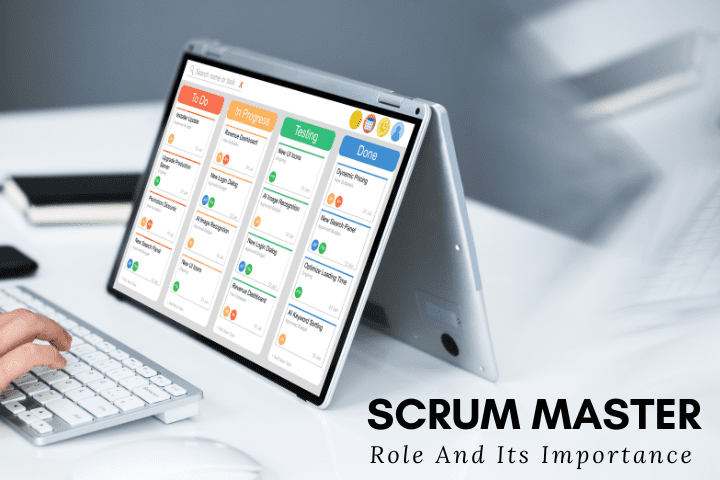
Scrum Master: What Is It, How It Works, And Why It’s Important Avakash Dekavadiya In the software development industry, agile scrum is one of the popular frameworks leveraged to get built solutions with an iterative approach. Scrum uses an incremental approach to build the solution in multiple parts known as sprints. Sprints comprise sprint planning, daily scrum meeting, sprint review by the developers, and sprint retrospection by the client. The team moves ahead to develop the solution using scrum methodology wherein the features are added or modified based on feedback from the client after every sprint. In this Agile project management methodology, three main stakeholders are involved- the scrum master, the product owner, and the developers. The harsh reality of the companies using the scrum methodology for software development is- they completely ignore the role of the scrum master. They found the team is self-organized and the product owner has the necessary expertise which makes hiring a scrum master is a no-brainer. However, the team struggles to reap the benefits of scrum without a scrum master because it works like a football team without a coach. Without a scrum master, the team fails to concentrate on bigger goals. Instead, they get entangled in the nitty-gritty of development, suffer from distractions, and bad feedback from the business stakeholders that don’t allow them to work satisfactorily. All of these issues get alleviated when you hire a scrum master in the company and become the guardian of the scrum framework. Let’s first understand scrum master in a nutshell. What is a scrum master? A scrum master, also known as a servant leader act as a coach, promoter, and supporter for the team that’s working on the project using Agile project management methodology. The Scrum master helps everyone in the team to understand, practice, follow rules, and add values for creating a dynamic team that continuously improves the processes. They are accountable for improving the scrum team and scrum process effectiveness. Scrum master make sure the scrum methodology principles- transparency, inspection, and adaptation are followed at the core so that there will be no conflicts among team members. They carefully listen to team interactions, find out which of them are helpful, and then help everyone on the board to change the interactions that maximize the value. The role of a scrum master is broader which bridge the gap between developers and the business coach side. We have discussed their roles and responsibilities in the next section in detail. The role and responsibilities of scrum master The product owner cannot perform the role of scrum master. Instead, the scrum master serves the product owner in various ways such as creating techniques for product backlog management and helping the team and product owner understand the product backlog items and product backlog arrangement respectively. The knowledge, patience, collaboration, and transparency are the basic characteristics of the scrum master that makes him behave like a coach and never interfere in the technical decisions of the developers. Take a glance at the responsibilities that are performed by the scrum master in your company. Act as a coach and mentor Scrum master is a chain between developers and product owner to bring efficiency to the development. He keeps monitoring the team and listens to interactions to ensure they are up-to-date with technical knowledge and improve productivity with boosted performance levels. as a good coach, they help the team to solve issues themselves and if the team fails to do so, scrum master takes things in his hand to resolve challenges. Responsible for sprint events Scrum master facilitates all the sprint events including- sprint planning meetings, daily scrum meetings, sprint reviews, and sprint retrospectives. Under scrum meeting planning, the scrum master makes the team keep the optimal number of product backlog items that they can deliver. Being over-ambitious won’t allow them to reach goals. The Scrum master is not involved in the daily meeting but ensures that all the team members are attending the meeting according to a pre-defined schedule. Scrum master collects the feedback from the stakeholders in the review meetings, which is then considered under retrospective meetings to add value to the project. Perform as a servant leader Scrum master leads the team by acting as a servant for them. He invests time and effort to improve teamwork and output. He helps the team to avoid and remove the impediments while empowering the team for self-management. Product backlog creation Based on the data gathered from daily meetings, the scrum master assists the product owner to refine the tasks added to the product backlog according to development needs. The task prioritization and review meeting schedule are an important part of it. Saves the team from interference Scrum master works wonderfully in intercepting all the distractions that are not allowing the developers to perform to the notch. They allow developers to add value to the project by preventing these interferences. Help to overcome the roadblocks Scrum master enables the team to stay focused on their work irrespective of the changes brought after every iteration while keeping up with the tasks. They ensure all the obstacles are removed that hinder the project’s progress. For instance, if the team member cannot work well because he is involved in multiple projects or needs to attend so many meetings, then the scrum master initiates an action that creates a win-win situation for both team and the company. Educate the team about scrum Scrum Master in your company helps the team to achieve the goals following the scrum methodology by making them well-versed and well-trained in the scrum practices and processes. He can help him to understand the project vision and mission while adhering to the scrum rules. The importance of a scrum master in an organization Keep the team organized and high-performant Scrum master keeps the team on track and focused on what matters in the order the tasks need to be done. For instance, scrum master ensures the meetings should be
Microsoft Rolled Out New Updates For Azure SQL Database: Know In Detail

Microsoft Rolled Out New Updates For Azure SQL Database: Know In Detail Avakash Dekavadiya Traditional software development services such as databases, networking, and servers have undergone enormous changes after cloud computing takes the driver’s seat. Cloud services have made software development cost-efficient with improved developers’ productivity, increased access to resources, global distribution, and reduced hardware costs along with associated expenses. Businesses are also moving their traditional database to the cloud to enjoy the benefits of flexible, affordable, and scalable database management. Azure SQL Database stands out as the best PaaS database engine that handles most of the database management without any user interference. Let’s understand it in detail. What is Azure SQL Database? One of the best Azure SQL databases is a relational database service that runs on a stable SQL server database engine. With in-built PaaS capabilities allow developers to focus on critical domain-specific database optimization and administration activities. It enables the creation of a high-performance data storage layer for the applications and modern cloud solutions because it enables the processing of both types of data structure- relational data structure and non-relational data structure. Key capabilities of Azure SQL Database include- Scalable performance Serverless computing Advanced monitoring and troubleshooting Automatic backups Point-in-time restores Built-in intelligence Adaptive query processing Advanced security and threat protection mechanism With changing market trends and customer demands evolution, the applications must step in with the changes. In the same vein, Microsoft continuously upgrades Azure SQL Database Service to meet the modern application development demands. Here, we have come up with Top Azure SQL Database Upgrade 2022 to know what’s added, modified, and removed in the latest version. Which are the updates rolled out in the latest Azure SQL Database release? Active geo-replication It’s one of the Best Azure SQL Database feature updates that allow developers to create a continuously synchronized readable secondary database for the primary database. The readable secondary database that’s also referred to as geo-replicas help businesses perform disaster recovery of individual database quickly in the event of unexpected failure or large-scale outage. When geo-replication is set up, geo-failover is initiated anytime either manually or programmatically via the application. Following diagram showcase how geo-redundant cloud configuration leverages active geo-replication. When if the primary database fails somehow, the geo-failover initiation of any secondary database will promote the secondary database to the primary role, and the rest of the secondary databases get linked to it automatically. Using the always-on availability group on technology, the active geo-replication asynchronously replicates the transactions log that’s created from the primary replica to all geo-replicas. The secondary databases though a little behind the primary database, but data is always transactionally consistent. Active geo-replication is also leveraged for application upgrades and data migration, in addition to disaster recovery. Geo-replication also helps with Azure Database Migration Services that enable migrating databases from one server to another with reduced downtime. Also, during application upgrades, geo-replication helps in creating an extra fail-back copy. Active geo-replication helps with automatic asynchronous replication, planned geo-failover, unplanned geo-failover, creating multiple readable geo-secondaries, user-controlled geo-failover, and geo-replication of databases in an elastic pool. When the app needs a stable connection endpoint and automatic failover support, then auto-failover groups come to the rescue. Auto-failover groups Auto-failover groups are designed to simplify the deployment and management of the geo-replicated databases on the top of the active geo-replication feature. It allows developers to best manage failover and replication of a few or all the databases on a logical server. The geo-failover is initiated either manually or by the Azure SQL Database Service. the latter alternative is more preferred as they automatically recover multiple related databases after the unplanned event or catastrophic failure that results in the loss of databases. The secondary databases are also used in failover groups to offload read-only workloads by the developers to minimize the traffic to the primary database. The end-points are also provided by auto-failover groups that remain unchanged during and after the geo-failover as connection strings are automatically routed to the primary database. A failover group in the Best Azure SQL Database includes multiple databases used by the same app. When auto-failover groups are used with the automatic failover policy, the outage impacting databases results in automatic geo-failover. The auto-failover group is configured on the primary server and connected to secondary databases in another region. The diagram below showcases the configuration of the geo-redundant cloud app using an auto-failover group. Ledger Update to ledger has also remained as the top Azure SQL Database Upgrade 2022 that improves data protection by preventing fraudsters or high-privilege users such as cloud administrators, system administrators, or database administrators to tamper with the data. With tamper-evidence and cryptographically attestation capabilities, the ledger helps in ensuring data has not tampered with. Ledger preserves historical data by maintaining its previous value in the history table and provides a chronicle of all changes made to the database. Ledger functionality comes in two flavors- an updated ledger table or an append-only ledger table. This feature is a great help for digital forensics, streamlining audits, off-chain storage for blockchain, and other processes. Changed data capture Change data capture works like its name, that’s it keeps a record of all the changes made to the database. It records all the activities such as addition, updation, or deletion applied to the table using an SQL server agent. Consequently, the detail of changes gets available in relational format. In the latest update, it’s available for Azure SQL Database which helps a ton during migration. Saying the latest update to this feature is a boon for Azure Database Migration Services as it’s easy to access the changes made to data or any errors if it occurs. The change data capture scheduler feature in the best Azure SQL Database takes the place of SQL server agent for regular capture and cleanup of change data capture tables without taking the help of any external dependency. Zone redundant configuration Azure availability zone in Azure SQL Database ensures that the database remains up and running 99.99% of the time
React Vs Angular: Which Is A Best Fit For Your Business Project?

React Vs Angular: Which Is A Best Fit For Your Business Project? Avakash Dekavadiya This is the real story of every developer building web apps or front-end. With the myriad of options available in the form of JS frameworks, it’s confusing to choose the right JS framework that meets the business-specific project requirements along with critical aspects. It’s difficult to get out of this struggle. The tug of the war between the two frontend frameworks- Angular and React is a real struggle. Picking up one and placing a bet on one of these frameworks is a daunting task when clients ask for the best option to select. If you are also one of those entrepreneurs, we recommend you connect with web app development experts that provide the right decision based on your project details. The extensive expertise and experience of our developers in trying their hands on both frameworks enabled us to shed light on the comparison of these two frontend frameworks- Angular and React. Before getting into the depth of their differences, we will first understand what’s Angular and React frameworks. What is React.JS? The frontend JS library was developed by Facebook to build excellent UI. Leveraging declarative programming style, React determine UI state and enable developers to preview how the app will look and user interaction. In addition to reusable library code, the JSX and virtual DOM in React makes it a great fit for native-rendered, mobile app, and web app development. The open-source nature of the framework enabled businesses to use React libraries to build UI from the ground. The modularity and coherent nature of components make React highly reusable that increases the development time. Netflix, New York Times, and others have migrated to React for high-performance and other impressive features. What is Angular.JS? Since 2010, the Angular framework is developed and maintained by Google with continuous upgrades. Since the release of Angular 2 in 2016, the umbrella term Angular 2 is used for all the Angular updated versions from Angular 2 to Angular 10. It’s built on top of TypeScript to create web apps, hybrid apps, and single-page web apps. With support for MVC architecture, Ajax, HTTP, and Observables, the framework is the best fit for dynamic web app development. Forbes, Samsung forward, BMW, and Microsoft Office home projects are built using the Angular framework. Hire Frontend Developers Contact The one-to-one comparison between React vs. Angular to know the best of both worlds Performance React and Angular are good frontend frameworks that deliver the best performance for web and mobile development. However, React uses virtual DOM to update the change without rewriting the complete HTML document. Thereby rendering update gets speed up, which in turn, ensures fast performance regardless of app type and size. Angular operates on real DOM to access and change document content, layout, and others. The problem with real DOM is- for updating a little data, the tree structure of HTML tables gets updated unless it reaches the data that needs to alter. Angular copes up with performance lagging with code practices optimization that enable the Angular app to deliver good performance. Angular provides $cacheFactory to recalculate the data that needs to calculate at a later stage, which works best for memorization. That’s why PayPal’s payment gateway leverages Angular to handle more than 300 million transactions across the world. Component architecture React framework builds user interface by breaking web app UI development into components. At first, the components are built that self-manage their respective states and then structured together for complex UI engineering. Also, Redux, Babel, and Webpack are some of the tool integrations are required for component architecture creation. The Angular ecosystem has an array of features such as Angular CLI, Angular Universal, and RxJS that build an architecture plain-sailing without any outside help. Data binding Syncing data between UI and business logic is referred to as data binding. React uses one-way data binding wherein nesting of child component with high-order parent component is done, which makes debugging easier and code stable. Heavy parsing tasks and enormous data manipulation are managed by React leveraging one-way data binding in conjunction with two-way data helpers. On the other hand, Angular leverages both one-way and two-way data binding that updates two layers with the same data. The model layer gets updated as soon as the input data changes in the backend. The binding of the HTML element with the model variable helps in crafting interactive UI with no callbacks or developers’ efforts intervention. The bi-directional nature of Angular with two-way data binding makes it easier for enterprises to obtain data from ERP software like- accounting, finance, medical, and other software. Bundle file optimization Businesses that team up with web application development partners expect high loading speed to improve click-through rates. It’s a bundle file that’s downloaded at the initial page, which is if optimized, the page gets loaded quickly. Bundle file size matters a ton in the case of large-sized web or mobile apps as it impacts performance. Angular handles single-page web application development easily. The framework leverages the compiler to create an understanding between the code in the bundle file and the browser, which speeds up compiling process. However, the HTML code written in components extends the bundle size that interferes with performance. That’s where the Ahead-of-time compiler helps a ton, which is activated through CLI. React uses WebPack to break your code into smaller parts, dynamic import loads only required code, and tree shaking to remove unused modules for reducing bundle file size. Code quality Angular CLI, Angular Material, Angular Core, and other tools allow developers to build and deliver the project with quality code. It also helps in predicting compilation behavior that enables creating builds smoothly and minimizing iterating efforts, which ultimately results in quality code. React is different from other frameworks in the sense of code review practices provided by Linters. Following a set of rules strictly, Linters generate the same code practices that keep the codebase consistent, which, in turn, improves the code