Scrum Master: What Is It, How It Works, And Why It’s Important
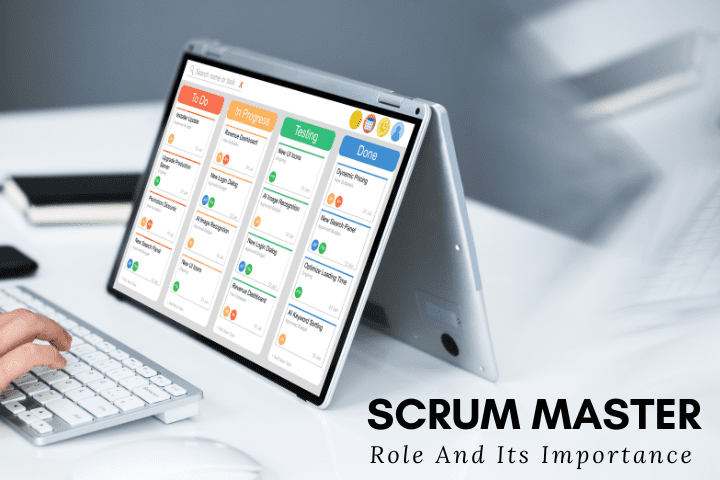
Scrum Master: What Is It, How It Works, And Why It’s Important Avakash Dekavadiya In the software development industry, agile scrum is one of the popular frameworks leveraged to get built solutions with an iterative approach. Scrum uses an incremental approach to build the solution in multiple parts known as sprints. Sprints comprise sprint planning, daily scrum meeting, sprint review by the developers, and sprint retrospection by the client. The team moves ahead to develop the solution using scrum methodology wherein the features are added or modified based on feedback from the client after every sprint. In this Agile project management methodology, three main stakeholders are involved- the scrum master, the product owner, and the developers. The harsh reality of the companies using the scrum methodology for software development is- they completely ignore the role of the scrum master. They found the team is self-organized and the product owner has the necessary expertise which makes hiring a scrum master is a no-brainer. However, the team struggles to reap the benefits of scrum without a scrum master because it works like a football team without a coach. Without a scrum master, the team fails to concentrate on bigger goals. Instead, they get entangled in the nitty-gritty of development, suffer from distractions, and bad feedback from the business stakeholders that don’t allow them to work satisfactorily. All of these issues get alleviated when you hire a scrum master in the company and become the guardian of the scrum framework. Let’s first understand scrum master in a nutshell. What is a scrum master? A scrum master, also known as a servant leader act as a coach, promoter, and supporter for the team that’s working on the project using Agile project management methodology. The Scrum master helps everyone in the team to understand, practice, follow rules, and add values for creating a dynamic team that continuously improves the processes. They are accountable for improving the scrum team and scrum process effectiveness. Scrum master make sure the scrum methodology principles- transparency, inspection, and adaptation are followed at the core so that there will be no conflicts among team members. They carefully listen to team interactions, find out which of them are helpful, and then help everyone on the board to change the interactions that maximize the value. The role of a scrum master is broader which bridge the gap between developers and the business coach side. We have discussed their roles and responsibilities in the next section in detail. The role and responsibilities of scrum master The product owner cannot perform the role of scrum master. Instead, the scrum master serves the product owner in various ways such as creating techniques for product backlog management and helping the team and product owner understand the product backlog items and product backlog arrangement respectively. The knowledge, patience, collaboration, and transparency are the basic characteristics of the scrum master that makes him behave like a coach and never interfere in the technical decisions of the developers. Take a glance at the responsibilities that are performed by the scrum master in your company. Act as a coach and mentor Scrum master is a chain between developers and product owner to bring efficiency to the development. He keeps monitoring the team and listens to interactions to ensure they are up-to-date with technical knowledge and improve productivity with boosted performance levels. as a good coach, they help the team to solve issues themselves and if the team fails to do so, scrum master takes things in his hand to resolve challenges. Responsible for sprint events Scrum master facilitates all the sprint events including- sprint planning meetings, daily scrum meetings, sprint reviews, and sprint retrospectives. Under scrum meeting planning, the scrum master makes the team keep the optimal number of product backlog items that they can deliver. Being over-ambitious won’t allow them to reach goals. The Scrum master is not involved in the daily meeting but ensures that all the team members are attending the meeting according to a pre-defined schedule. Scrum master collects the feedback from the stakeholders in the review meetings, which is then considered under retrospective meetings to add value to the project. Perform as a servant leader Scrum master leads the team by acting as a servant for them. He invests time and effort to improve teamwork and output. He helps the team to avoid and remove the impediments while empowering the team for self-management. Product backlog creation Based on the data gathered from daily meetings, the scrum master assists the product owner to refine the tasks added to the product backlog according to development needs. The task prioritization and review meeting schedule are an important part of it. Saves the team from interference Scrum master works wonderfully in intercepting all the distractions that are not allowing the developers to perform to the notch. They allow developers to add value to the project by preventing these interferences. Help to overcome the roadblocks Scrum master enables the team to stay focused on their work irrespective of the changes brought after every iteration while keeping up with the tasks. They ensure all the obstacles are removed that hinder the project’s progress. For instance, if the team member cannot work well because he is involved in multiple projects or needs to attend so many meetings, then the scrum master initiates an action that creates a win-win situation for both team and the company. Educate the team about scrum Scrum Master in your company helps the team to achieve the goals following the scrum methodology by making them well-versed and well-trained in the scrum practices and processes. He can help him to understand the project vision and mission while adhering to the scrum rules. The importance of a scrum master in an organization Keep the team organized and high-performant Scrum master keeps the team on track and focused on what matters in the order the tasks need to be done. For instance, scrum master ensures the meetings should be
The Comprehensive Guide for Automation Testing
The Comprehensive Guide for Automation Testing Avakash Dekavadiya Do you know what’s the minimum expectation of people when they use digital applications? The app must be high-quality that perform faster and glitch-free across all the devices. But, how is it possible? It requires rigorous testing at scale. Sadly, quality testing engineers are a scarce resource. Fortunately, if you found them, you can’t make them work for more than 60 hours a week. It means testing the app 24 hours a day, and seven days a week is impossible. Simultaneously, speeding up regression testing while integrating and releasing a new feature under pressure results in a buggy application. The worst part is testing the application after it’s built, the app release becomes unstable. It creates a need for tests to be automated. Here, automation testing services step in. What Is Automation Testing? The automation testing services enable running tests on the app with little-to-none human intervention. Unlike human testers that write test cases separately and then execute them, the automation scripts are created once and can run anytime. The automation testing is a perfect fit for the tedious tests that need to perform repetitively, the output is clear- wrong or right, and business-critical tests that need to carry out regularly. The test automation services and quality assurance services enable testing at scale, improve the speed of delivery, and ensure streamlined releases. Different Types of Testing That can be Automated Unit testing This type of automation testing service involves running tests on separate functions individually to ensure it works as expected. It’s performed during app development helps in detecting the bugs sooner and aids in keeping the cost of fixing the bugs minimum. The first level of web app testing written by developers is broadly leveraged in three ways. The black-box testing is used for UI testing, where test scripts replicate the users’ interaction with UI to check UI performance. The automated testing software such as Selenium ensures the app’s UI is working as required. White-box testing tests the app’s usability through its functional behavior testing. the grey-box testing helps in standing out with test cases execution and risk performance analysis. Integration testing One of the test automation services tests the various parts of the application as a whole. It evaluates how different parts of the application interact with each other and function as anticipated. It’s generally performed after unit testing to check if data communication is occurring seamlessly or not. The test automation companies use various integration testing approaches such as the Sandwich approach, Big Bang approach, Bottom-up approach, and top-down approach for testing expected and unexpected inputs. System testing When the app is developed, a series of test automation services and quality assurance services are leveraged by test automation companies to test the complete app. Various types of system testing are automated using automated testing software. Smoke testing is also known as confidence testing, that’s designed to check the app’s stability and viability. It tests which aspect of the app is functional or non-functional, which helps in identifying the core functionalities of the app. It’s executed when developed functions are integrated with the application. Any failure in smoke testing put the feature straight in front of the development team to fix the issues. The automated testing software put regression testing under the maintenance testing category that analyzes the differences in the feature’s behavior when any changes are made to code. During re-running of functional and non-functional tests, when performance gets changed, the app is regressed. The test automation companies perform functional testing to identify all functions such as user interface, database, security, APIs, server application, and others perform as expected. Acceptance testing When the full-fledged solution is about to release after testing it using test automation services and quality assurance services, it must be checked for how well it will be received by the app users. The final level of testing- acceptance testing is automated for better results. Performance testing executed using automated testing software ensure that the app performs at speed, functions glitch-free under increasing load, is responsive across all devices, and remains stable. The optimization of all the performance issues identified under testing ensures the app’s success in the competition. Often, figuring out users’ preferences or interests for revamped UI or enhanced functionality is tricky. Automating the alpha and beta testing helps test automation companies to know which feature or interface improves user engagement so that they are flagged or turned on accordingly. Non-functional testing Other than app functionalities, there are a lot of non-functional requirements that users expect to see in the applications such as performance, usability, reliability, compatibility, scalability, security, and others. It brings all those factors into the limelight that showcase how well the app performs. It’s generally performed after functionality testing to find out the logical function work to par and users’ expectations. Data-driven testing When the QA and test engineers need to repeat the same test multiple times with a different set of data, it ends up wasting a lot of time and resources. That’s where data-driven testing facilitates creating one test that can be run using different test accounts. At AIMDek, the team has created Data Driven framework for Automation Testing to enable data-driven testing that ensures code reusability. Examples Of The Best Automation Testing Software Selenium It’s one of the most popular automation testing software for web app testing. The testing suite packed with four testing tools is created for regression testing and bug reproduction. The automation testing tool is compatible with all browsers and operating systems and supports a slew of programming languages such as C#, Java, PHP, Pearl, and Python. At AIMDek, the team uses Selenium WebDriver and Selenium WebDriver with Java to run multiple tests at the same time in different languages. The flexibility of Selenium testing enables non-tech-savvy experts to create tests with reduced maintenance required. Apache Jmeter Apache Jmeter is a well-famous automation testing tool used by test automation companies for performance testing. The tool leveraged web services and web applications to evaluate the app’s strength
Mobile and Web Development In 2022: 10 Biggest Challenges and Their Solutions

Mobile and Web Development In 2022: 10 Biggest Challenges and Their Solutions Avakash Dekavadiya The internet has changed the way we relate to the universe. Beyond browsing websites and tapping on mobile devices, the two- web and mobile apps together represent an entirely new digital lifestyle. Now, lives are facilitated by a myriad of web and mobile applications, all of them transforming the experience into an integrated, cohesive experience, that’s ‘on’ all the time. The web and mobile app development acting as a glue for all the industry verticals is now enabling the centerpiece of digital convergence. The interactive experiences engineered, and unmet needs met by the digital gateways (web and mobile apps) for the real world have set standards and new expectations for people, which are imperative to fulfill. The technological progress that’s increasing innovations rapidly to cope with evolving customers’ preferences and changing market trends, is posing challenges for the mobile app development company and web application development company. Filling the void in the physical world through mobile and web app development is not so rosy. When mobile or web app ideas start taking shape, a variety of app development challenges arise at various stages from planning to final delivery. The web and mobile app development challenges would vary for organizations depending on the app’s niche, complexity, and others. In this blog, we will discuss the challenges that cannot be ignored by the web and mobile app development services and solutions to cope with them separately. What are the challenges coming up during mobile app development? Still, Finding Difficult To Choose The Right Development Approach? Discuss With Our Experts Choosing the right development approach Before partnering with mobile app development, the entrepreneur must be sure about the app development technology to leverage. This development approach decision- native app development, cross-platform development, and hybrid development must be taken at the early stage. It’s challenging for businesses to decide at the earliest. Solution: knowing the pros and cons of the development approaches and then matching them with your business needs helps in making the right selection. Native development involves developing an app for a specific platform, say Android or iOS. The native apps perform better, are reliable, and are considered safe to use. However, building the app for different platforms doubles the effort, time, and money investment. Cross-platform development is a perfect fit to build and launch the app on multiple platforms at the cost of one app development. This approach increases the reliance on cross-platform frameworks, so you need to match the functionalities offered by them to meet the business needs or not. You need to be very choosy when it comes to the framework section. The time-savvy and inexpensive approach sometimes make you compromise on app quality and lack of features as well. Hybrid app development renders high performance as opposed to a cross-platform development approach due to standard coding. The hybrid apps comprise web app and native app elements wherein the web apps are encapsulated under a native app shell. With one source code, the app is launched for multiple platforms. Unfortunately, the user experience gets compromised as hybrid apps can’t replicate UX that native apps deliver. Crafting an intuitive UI that enrich UX The app’s interface creates an indelible impression on the customers’ minds during the first visit. The UI and UX engineers are liable to design the app’s UI that’s clean and clutter-free. It’s challenging for design gurus to build a usable app and deliver the best experiences. Solution: The designers and UX testers must test the app if it catches the eyeballs at first glance, graphics and other design elements are placed aptly and clutter-free way, navigation is seamless, and the app’s flow syncs well with the target audience’s expectations. The UI and UX testing, user survey, and feedback from beta users would help in rendering a great user experience. Device compatibility and resolution issues This is one of the important aspects of UI and UX designing, where ensuring the app works well on a range of mobile devices is important. If the app doesn’t perform as expected on famous devices or OS versions, it ruins the user experience. The screen resolution issues, and device compatibility are the biggest concerns that mobile app development companies face during mobile app testing. Solution: When the mobile app is under development, the team should check the app is compatible with all the devices that the target audience uses the most. It improves the app accessibility and ensures you won’t lose the users to the competition. Also, referring to WCAG guidelines helps in catering to small screen size and device compatibility issues. Seizing an edge in the crowded market Managing funds and finance for app development don’t finish your job. Making a well-developed app stand out in the market is the biggest challenge in front of businesses. The mobile app market which is overcrowded with billions of apps makes things more difficult. The various strategies for app promotion make things more complex. Solution: you need to research the market, competition, and unmet needs of the target audience. The research helps you create a USP around the app that highlights how the app fills the void. Plus, promoting the app on various channels- social platforms, affiliate marketing, PPC, or marketplaces according to time and budget helps a ton. All things together make the app discoverable by the users who are looking for such an app in the app store. Building an up-to-date app Every mobile app has a lifecycle that needs to be managed to keep the app updated with the market after its launch. The smooth launch doesn’t guarantee that the app will keep the customers glued to the app. The app must be updated at regular intervals, which is challenging to add new features or modify the existing ones. Solution: The precise go-to-market strategy with a long-term vision helps in making the mobile app top the chart constantly. Continuous app testing would help in knowing how the app is performing under increasing
Usability Testing: Everyone should know

Usability Testing: Everyone should know Avakash Dekavadiya What is Usability Testing? Before discussing the usability testing let’s first start with the Usability, which comes under the ‘User Experience’ and it refers to how easily users can interact with applications or websites. Usability testing, a non-functional testing technique that is a measure of how easily the system can be used by end-users. Usability testing is a way to see how easy to use something is by testing it with real users. Users are asked to complete tasks, typically while they are being observed by a researcher, to see where they encounter problems and experience confusion. Usability Testing identifies usability errors in the system early in the development cycle and can save a product from failure. It determines whether an application or product is usable, findable, accessible and desirable. Why Usability Testing? The primary purpose of a usability test is to gather the data needed to identify usability issues and improve a website or app’s design. If we are doing usability testing the right way and right time with the right people so it will avoid risks of building the bad product and using these we can save lots of time, money and other resources. Below are the goals which include usability testing, Identifying the problems Uncovering opportunities Learn about the target users When to Use: When starting the requirement analysis also you can do it at the low fidelity wireframe stage. Beginning of the product UX Design or Redesign phase At the development stage Follow up stage Process of Usability Testing 1. Planning The usability test plan is undoubtedly the most crucial step in the whole process. In this stage, ensure that you have clearly defined goals. Define the goals and objectives. Define the scope of work. Recruitment of testers Define the cost of study 2. Recruiting The first step to recruiting the right users is identifying your target audience. Not every user is the target audience for every application. For enterprise products, there can be multiple sets of users. It is absolutely crucial that the users you recruit relate to the problems that you are trying to solve. In order to achieve that, ensure that you do not recruit anyone working on the project as a user. Exploring the goals, objectives, and scope to recruiters Assigning the tasks to testers Use2. Recruiting reporting tools 3. Execution of Test During the testing execution, make sure that you do not influence the opinion of the users in any way. Make sure you record the test as well as take notes. You can invite another team member to take notes if you want to observe the test. Do communication regarding the scope. Define the most important scenarios and plan to assign and complete. Seek actionable results 4. Data Analysis Based on your test results, work with your designers and/or product managers to analyze the findings. Keep an open mind towards the test as some findings may be completely opposite to your assumptions. Improve based on the results and feedback of the test. You can highlight the issues that come up in the test in your reports and use them as a starting point for the next versions. It is important that you conduct usability tests often to achieve the maximum benefits from the whole process. When done with the testing compile the results and summarize the findings in proper formats. When done with the testing compile the results and summarize the findings in proper formats. Don’t address a single problem that went wrong, instead prioritize the issue that is most problematic and that needs to be resolved. 5. Reporting Needs actionable recommendations. Stakeholder briefing Purpose of Usability Testing The purpose of this method is to clarify how the user interacts with the website or software to make certain that the item under test matches user requirements. Usability testing is useful method to define the following : Ease and Efficiency User Satisfaction User Enjoyment User Preferences Types of Usability Testing Moderated vs. Unmoderated Moderated Testing: It will be done under the supervision of the trained researcher, who will give guidance of the queries and follow-up questions. It will produce accurate results as a direct interaction between researcher and test user are there. The cost of this testing is higher and it’s difficult for any organization to run. Unmoderated Testing It will be done without any supervision so testing participants may work from home or from the lab and use their own devices. Test results might not be accurate due to the gap between the researcher and test users. The cost of this testing is lower than moderated testing. Remote vs. In Person Usability Testing Remote Usability Testing It will be done by using the internet or phone calls. It will not be done in-depth but the amount of testing will be large using different areas with few of the participants. The cost of this testing is not more expensive than In-Person usability testing. In Person Usability Testing It will be done by the presence of the UX Researcher It will be done in depth as UX researchers observe things like data and facial expressions. The cost of this testing is higher than Remote usability testing and time-consuming. Pros and Cons Pros : 1. It helps uncover usability issues before the product is launched.. 2. It provides a better user experience. 3. It makes the product efficient and effective. 4. It saves time for both users and the company. 5. It helps to collect feedback from your end users who actually use the product during usability testing so you don’t need to rely on random people. Cons: 1. Cost is the major part 2. Need more resources to set up usability testing. 3. Recruiting and management of usability testers will be expensive. Conclusion Usability testing can be used in a variety of ways during your project lifecycle. Usability testing is the best method of ensuring your website supports users in achieving their goals quickly
UI Testing with Protractor to Test Angular Applications

UI Testing with Protractor to Test Angular Applications Avakash Dekavadiya Angular is one of the most popular Javascript frameworks for building web applications. There are three popular versions of Angular upto date — Angular 1 (also known as AngularJS), followed by Angular 2, which is succeeded by Angular 4. It is gaining in popularity because it extends the functionality of HTML and can be used to quick launch applications. Although the developers take too much time in developing the application by using different tactics and critical thinking but ultimately the client or user is the person who is actually going to pass or use the application. It is very important to test the UI in all aspects so that the user will not get any trouble while using the application. What is important is the application should be easy to use and if the UI is tested properly it makes the usability of application easier. What is Protractor? Protractor is an end-to-end testing framework for AngularJS applications and works as a solution integrator combining powerful tools and technologies such as NodeJS, Selenium WebDriver, Jasmine, Cucumber and Mocha. It was initially developed by Google Developers to support angular applications and later it is released as an open source framework. Now protractor supports both angular and Non-Angular applications. The protractor is wrapper written on top of Webdriver.js, all the features which are supported in Selenium Webdriver are supported by it, in addition to angular specific features. WebDriverJs is the official javascript implementation of Selenium. It uses the Selenium JSON-Wire-Protocol to interact with the browser as selenium java does. Protractor depends on WebdriverJs to interact with the browser. Features of Protractor Automation tool Let’s have a look at some of the salient features of the Protractor Automation tool: Built on the top of WebdriverJS and Selenium server Introduced new simple syntax to write tests Allows running tests targeting remote addresses Can take advantage of Selenium grid to run multiple browsers at once Can use Jasmine or Mocha to write test suites Protractor Installation Steps Here, we’ve used the protractor framework and configured on a windows environment. Below are the steps for installation: Install Protractor Globally on Environment Step 1: Download and install NodeJS. Make sure its path is configured correctly after installation. Also check that you should find node from command prompt. Ignore if you already have nodejs installed. Step 2: Open the command prompt and type in the following command to install protractor globally. npm install –g protractor Install Protractor Locally For local installation type the following command in the command prompt of your project directory : npm install protractor To verify your installation, please type in the command Protractor –version If Protractor is installed successfully then the system will display the installed version. Otherwise you will have to recheck the installation. Step 3: If you don’t have the Selenium server on your machine, then download the latest version onto your machine. If you want to run tests on different browsers, then please download the respective drivers as well. For example, Chrome driver will come in handy to run tests on the Chrome browser. You are good to go now. Finally the main step. Write Your Test Cases Create a clean folder for testing. Protractor needs two files to run, a spec file and a configuration file. Copy the following into spec.js: // spec.js describe(‘Protractor Demo App’, function() { it(‘should have a title’, function() { browser.get(‘https://aimdek.com’); expect(browser.getTitle()).toEqual(‘aimdek’); }); }); The describe and it syntax is from the Jasmine framework. browser is a global created by Protractor, which is used for browser-level commands such as navigation with browser.get. Now create the configuration file. Copy the following into conf.js: // conf.js exports.config = { framework: ‘jasmine’, seleniumAddress: ‘http://localhost:4444/wd/hub’, specs: [‘spec.js’] } This configuration tells Protractor where your test files (specs) are, and where to talk to your Selenium Server (seleniumAddress). It specifies that we will be using Jasmine for the test framework. It will use the defaults for all other configuration. Chrome is the default browser. Now run the test with protractor conf.js You should see a Chrome browser window open up and navigate to the Calculator, then close itself (this should be very fast!). The test output should be 1 tests, 1 assertion, 0 failures. Congratulations, you’ve run your first Protractor test! Step 1 – Interacting with elements Now let’s modify the test to interact with elements on the page. Change spec.js to the following: // spec.js describe(‘Protractor Demo App’, function() { it(‘should add one and two’, function() { browser.get(‘https://aimdek.com’); element(by.model(‘first’)).sendKeys(1); element(by.model(‘second’)).sendKeys(2); element(by.id(‘gobutton’)).click(); expect(element(by.binding(‘latest’)).getText()). toEqual(‘5’); // This is wrong! }); }); This uses the globals element and by, which are also created by Protractor. The element function is used for finding HTML elements on your webpage. It returns an ElementFinder object, which can be used to interact with the element or get information from it. In this test, we use sendKeys to type into <input>s, click to click a button, and getText to return the content of an element. element takes one parameter, a Locator, which describes how to find the element. The by object creates Locators. Here, we’re using three types of Locators: by.model(‘first’) to find the element with ng-model=”first”. If you inspect the Calculator page source, you will see this is . by.id(‘gobutton’) to find the element with the given id. This finds . by.binding(‘latest’) to find the element bound to the variable latest. This finds the span containing {{latest}} Learn more about locators and ElementFinders. Run the tests with protractor conf.js You should see the page enter two numbers and wait for the result to be displayed. Because the result is 3, not 5, our test fails. Fix the test and try running it again. Step 2 – Writing multiple scenarios Let’s put these two tests together and clean them up a bit. Change spec.js to the following: // spec.js describe(‘Protractor Demo App’, function() { var firstNumber = element(by.model(‘first’)); var secondNumber = element(by.model(‘second’)); var goButton = element(by.id(‘gobutton’)); var latestResult = element(by.binding(‘latest’)); beforeEach(function() { browser.get(‘https://aimdek.com/’); }); it(‘should have a title’, function() { expect(browser.getTitle()).toEqual(‘aimdek’); }); it(‘should add one and