SharePoint to Liferay Migration Services

Move from SharePoint to Liferay DXP with a structured migration approach for enterprise portals, intranets, public websites, and multi-audience digital experiences.

Is SharePoint Still the Right Platform for Your Digital Experience Roadmap?

SharePoint is a strong platform for document management, internal collaboration, team sites, and Microsoft 365-connected workflows.

But many organizations have pushed SharePoint beyond its original purpose.

When SharePoint is used for customer portals, partner portals, public websites, multi-site publishing, authenticated self-service, or complex enterprise workflows, the platform can become difficult to scale, customize, govern, and integrate.

For organizations running SharePoint Server 2016 or 2019, the migration decision is also becoming time-sensitive. Microsoft lists both SharePoint Server 2016 and 2019 as reaching end of support on July 14, 2026.

This makes it the right time to evaluate whether your next move should simply be another SharePoint upgrade, or a broader shift to Liferay DXP.

Why Migrate from SharePoint to Liferay?

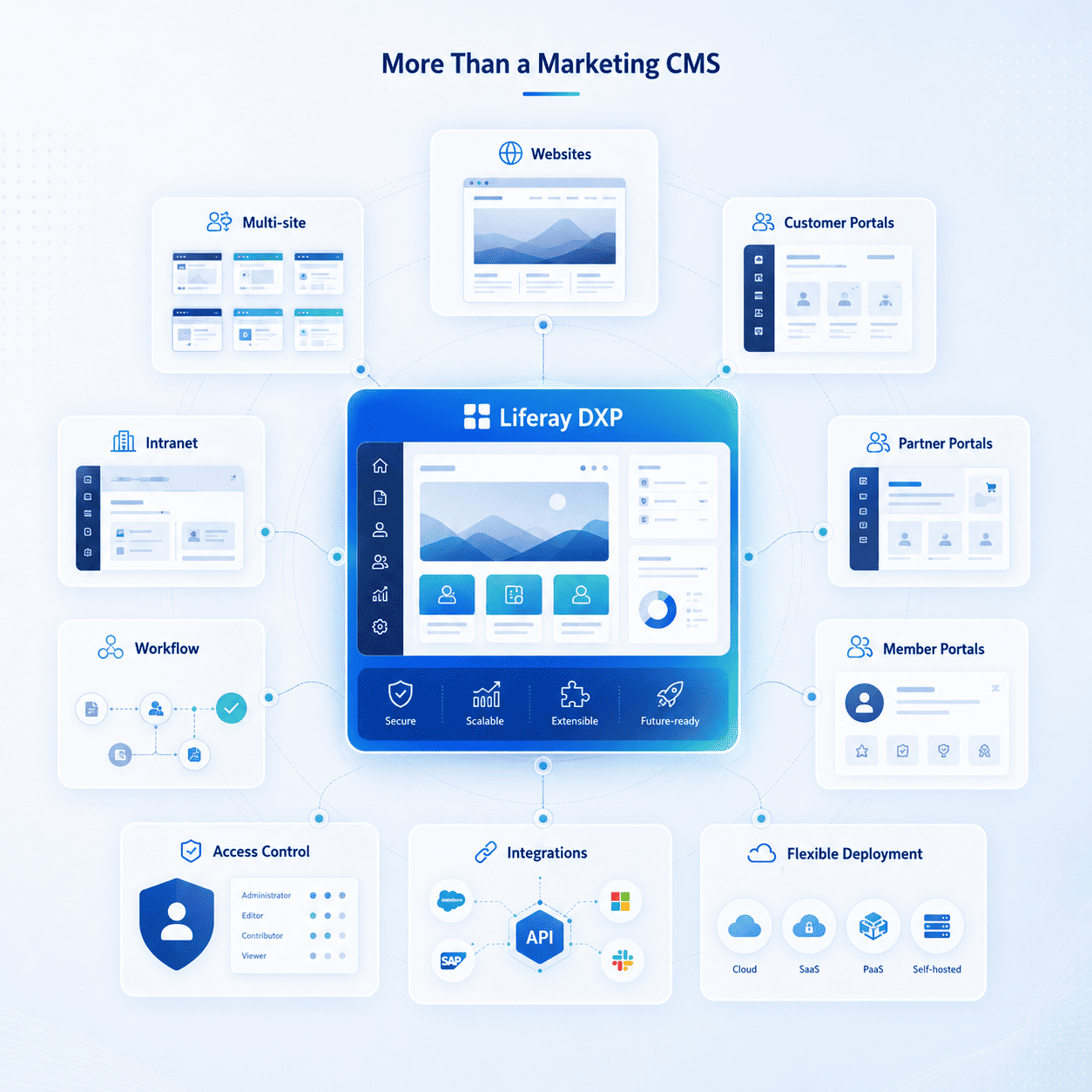
Liferay is a strong fit when your organization needs more than internal collaboration and document storage.

It supports:

Liferay is especially relevant for organizations that need one flexible DXP to support both internal and external digital experiences.


Common SharePoint Challenges We Help Solve

AIMDek helps organizations move away from SharePoint challenges such as:

Our SharePoint to Liferay Migration Services

SharePoint Environment Assessment

We review your SharePoint setup, site structure, document libraries, lists, pages, permissions, workflows, integrations, custom components, and usage patterns.
Migration Strategy and Roadmap

We define what should be migrated, rebuilt, redesigned, archived, integrated, or retired before moving to Liferay.

Content and Document Migration

We migrate pages, documents, files, metadata, categories, links, assets, redirects, and other content elements into the right Liferay structure.

Portal and Experience Rebuild

We rebuild the required intranets, customer portals, partner portals, public websites, dashboards, and authenticated user journeys in Liferay DXP.

Workflow and Permission Mapping

We map SharePoint permissions, user groups, approval flows, and governance rules into Liferay’s role-based access and workflow model.
Integration Modernization

We connect Liferay with your existing systems, including Microsoft 365, Azure AD, CRM, ERP, DAM, analytics, commerce platforms, SSO, and internal applications.
QA, Validation, and Launch Support

We validate content accuracy, permissions, redirects, search, workflows, integrations, performance, responsiveness, and launch readiness.
A Practical Migration Approach

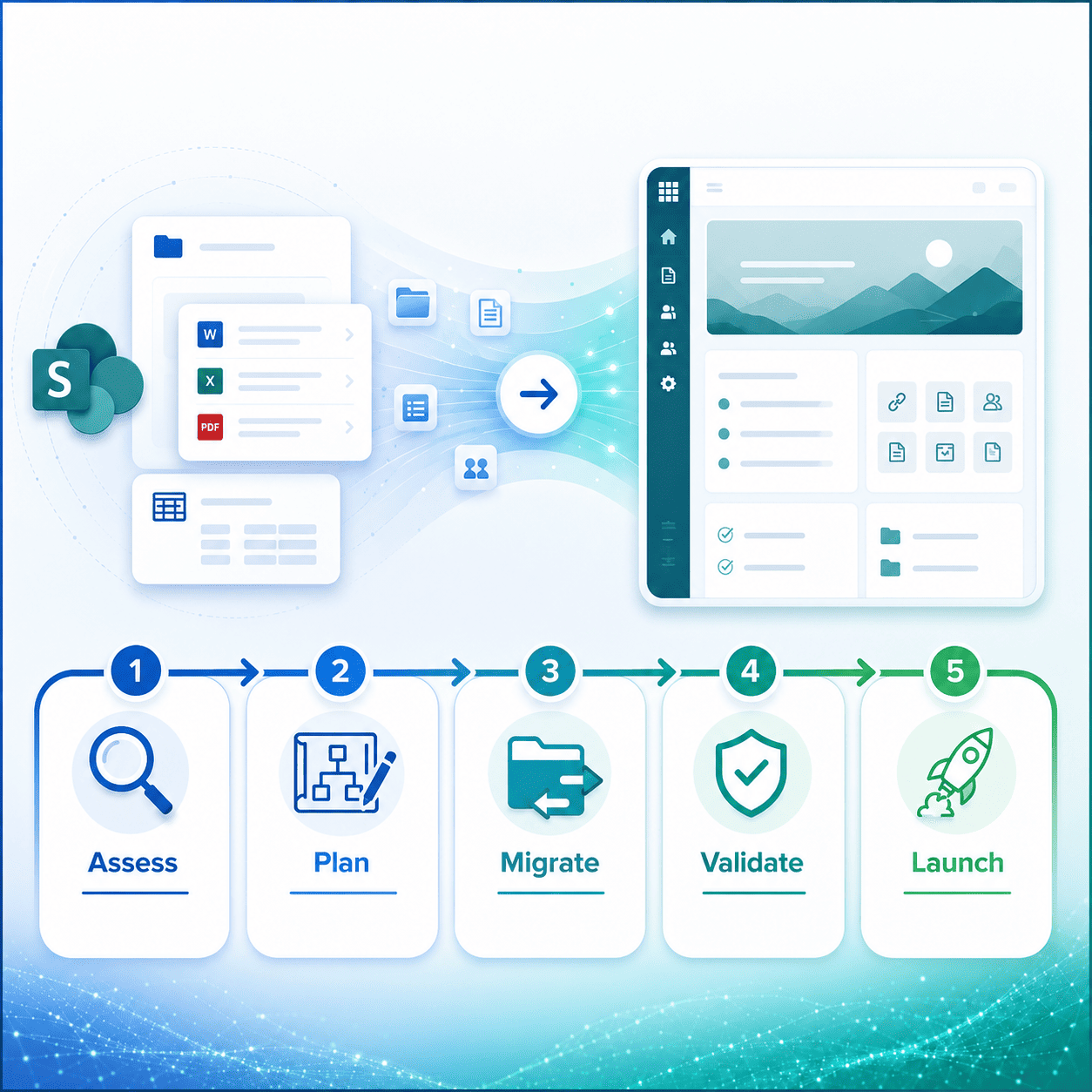
  1. Assess: Understand your current SharePoint environment, content structure, customizations, risks, and migration goals.
  2. Plan: Define the Liferay architecture, content model, portal structure, governance model, integrations, and rollout plan.
  3. Migrate: Move content, documents, metadata, permissions, workflows, and selected functionality into Liferay.
  4. Validate: Test content, search, access control, integrations, UX, performance, SEO, and user journeys.
  5. Launch: Support deployment, admin training, stabilization, and post-launch improvements.

Why Choose AIMDek?

AIMDek is a certified Liferay partner with a Liferay-certified team and 10+ delivered Liferay projects across CMS migration, enterprise portals, custom development, integrations, and managed support.

Ready to Move from SharePoint to Liferay?

If your SharePoint environment is becoming difficult to scale, expensive to maintain, or limiting your portal and digital experience goals, AIMDek can help you plan a structured migration to Liferay.

TALK TO OUR SUBJECT MATTER EXPERT