AWS Application Migration Services: When to Rehost, Replatform, or Modernize Legacy Applications
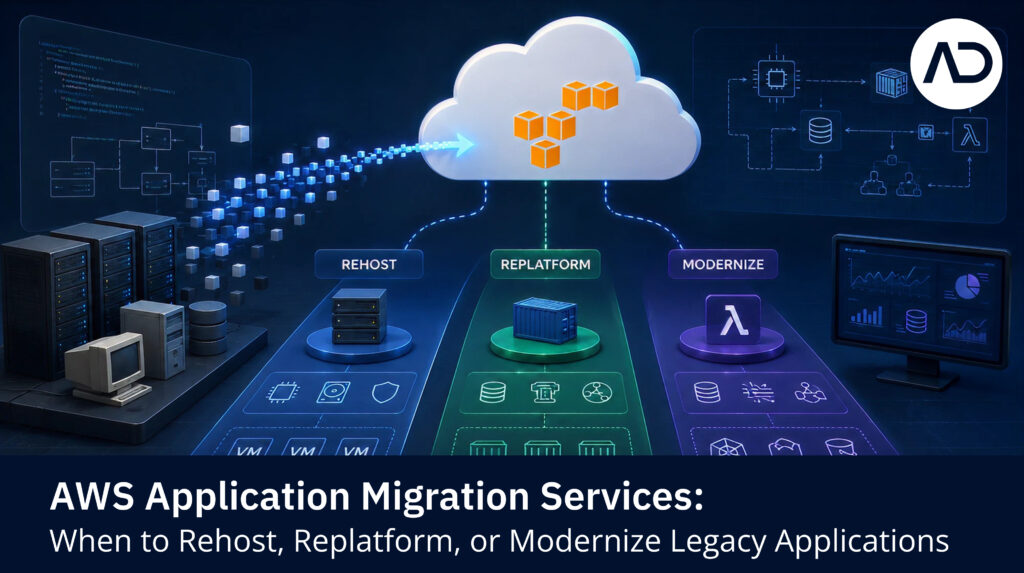
AWS Application Migration Services: When to Rehost, Replatform, or Modernize Legacy Applications Manav Patel AWS application migration services help organizations move applications from on-premise infrastructure, virtual machines, physical servers, or other cloud environments to AWS. But application migration is not only about moving servers. Applications have dependencies, databases, integrations, security requirements, performance needs, and business users. If those details are missed, migration risk increases. AWS Application Migration Service, also known as AWS MGN, is designed as a highly automated lift-and-shift solution for migrating applications to AWS. AWS states that it can replicate source servers into your AWS account and support migration of physical, virtual, or cloud servers. That makes it useful for many rehost migrations. But rehost is not always the right answer for every application. Quick Answer: What Are AWS Application Migration Services? AWS application migration services include the assessment, planning, migration, testing, and optimization activities needed to move applications to AWS. This may involve: Application discovery Server and dependency mapping AWS target architecture planning Rehosting applications Replatforming selected components Database migration Testing and validation Cutover and rollback planning Post-migration optimization Modernization roadmap creation The best approach depends on the application’s business value, technical complexity, and future roadmap. Rehost: When Lift-and-Shift Makes Sense Rehosting means moving an application to AWS with minimal changes. It is often called lift-and-shift. Rehost may be suitable when: The application is stable Downtime tolerance is limited The business needs faster data center exit The application does not need immediate modernization The team wants to reduce migration complexity The workload can be optimized after migration This approach can help organizations move faster, especially when many servers need to be migrated. However, rehosting may also carry existing technical debt into AWS. That is why rehost should be treated as one possible strategy, not the default for everything. Replatform: When Small Changes Create Better Cloud Value Replatforming means making limited changes to improve cloud fit without fully rebuilding the application. Examples include: Moving a self-managed database to Amazon RDS Replacing file storage with Amazon S3 Using managed monitoring and logging Updating deployment pipelines Adjusting application configuration for AWS Improving backup and recovery design Replatforming is useful when small changes can improve manageability, scalability, availability, or cost. It usually requires more planning than rehosting, but less effort than full refactoring. Refactor or Modernize: When Legacy Systems Need Deeper Change Refactoring or re-architecting involves making significant changes to the application. This may be needed when: The application is difficult to maintain The architecture limits scalability Release cycles are slow The codebase has high technical debt The business needs new digital capabilities The application must support APIs, analytics, or AI use cases The current architecture creates operational risk Modernization may include microservices, containers, serverless architecture, event-driven design, managed databases, DevOps automation, or API-led integration. This approach is more complex, but it can create stronger long-term business value. How to Decide the Right Migration Path Use a workload-by-workload decision model. Question What It Helps Decide Is the application business-critical? Migration priority and risk control Is the architecture stable? Rehost vs replatform vs refactor Are there major dependencies? Wave planning Is downtime acceptable? Cutover strategy Is the database complex? Data migration approach Is the application near end-of-life? Retain, retire, or replace Is modernization needed soon? Replatform or refactor roadmap The right migration strategy should be based on technical reality and business priority. Common Application Migration Risks Application migration can fail or slow down when teams miss: Hidden dependencies Hardcoded configurations Legacy operating systems Unsupported software versions Database compatibility issues Licensing constraints Performance assumptions Weak testing coverage Missing rollback plans Poor user acceptance validation This is why application-aware planning matters. Migrating the server is only one part of the work. Where AWS Application Migration Service Fits AWS Application Migration Service can help automate and simplify rehost migration by replicating source servers and supporting cutover to AWS. It is especially relevant for: Physical server migration Virtual machine migration Large-scale lift-and-shift migration Data center exit programs Faster migration of compatible workloads But organizations still need readiness assessment, dependency mapping, landing zone planning, testing, rollback planning, and post-migration optimization. Tools support migration. Strategy controls risk. How AIMDek Helps With Application Migration to AWS AIMDek helps organizations plan and execute application migration to AWS with a focus on risk, continuity, and modernization readiness. Support can include: Support can include: Dependency mapping Migration strategy selection Server and VM migration planning Database migration coordination AWS target architecture Testing and rollback planning Security and governance alignment Post-migration optimization Modernization roadmap planning How AIMDek Supports Moving to AWS Cloud AIMDek helps organizations assess, plan, and migrate workloads to AWS through a phased approach focused on business continuity, security, governance, cost visibility, and modernization readiness. The goal is not only to move infrastructure. The goal is to help you move with control. If you are evaluating migration from on-premise to AWS, start with an AWS Migration Readiness Call. Book an AWS Migration Readiness Call with AIMDek. Manav Patel Manav Patel is an experienced Cloud and Infrastructure Consultant specializing in cloud architecture, infrastructure modernization, platform migration, DevOps automation, and enterprise system reliability. He has extensive experience in designing and deploying scalable, secure, and highly available cloud-native environments across cloud and microservices ecosystems using technologies such as Kubernetes, AWS, Infrastructure as Code (Terraform & Cloud formation), containerization, CI/CD automation, and enterprise monitoring solutions. FAQs What are AWS application migration services? AWS application migration services help organizations assess, plan, move, test, and optimize applications when migrating to AWS. What is AWS Application Migration Service? AWS Application Migration Service, or AWS MGN, is an AWS service for automated lift-and-shift migration of applications and servers to AWS Should legacy applications be rehosted or modernized? It depends. Stable applications may be rehosted first. Applications with scalability, maintainability, or performance issues may need replatforming or modernization. What is the main risk in application migration? The main risk is missing dependencies between applications, databases, integrations, users, and infrastructure. skip render: ucaddon_next_prev_post
Moving to AWS Cloud? A Readiness Checklist Before You Start

Moving to AWS Cloud? A Readiness Checklist Before You Start Manav Patel Moving to AWS cloud is not only an infrastructure decision. It is a business continuity, security, cost, and modernization decision. Many companies begin AWS migration by asking, “Which servers should we move first?” A better question is, “Are we ready to move safely?” Cloud migration readiness helps identify what should be migrated, what should be fixed first, what risks need to be controlled, and what business outcomes the migration should support. AWS defines migration phases around assess, mobilize, and migrate and modernize. AIMDek’s migration approach also starts with readiness, including infrastructure, workloads, databases, dependencies, security controls, operating model, and business priorities. Quick Answer: What Should You Check Before Moving to AWS? Before moving to AWS cloud, assess: Application inventory Workload criticality Infrastructure dependencies Database migration needs Security and access controls Backup and disaster recovery Compliance requirements Cost and licensing impact Migration wave sequencing Testing, cutover, and rollback readiness Post-migration operating model This checklist helps reduce surprises before migration starts. 1. Business Readiness Checklist AWS migration should be connected to business goals. Ask: Why are we moving to AWS? Are we trying to reduce data center dependency? Do we need better scalability? Are we improving disaster recovery? Are we preparing for modernization? Do we need faster provisioning and releases? Are there upcoming hardware refresh costs? Which systems are business-critical? What downtime is acceptable? If the business outcome is unclear, the migration roadmap will also be unclear. 2. Application Readiness Checklist Applications should be reviewed before migration. Check: Application owner Business function User groups Technology stack Current hosting environment Dependencies Integration points Performance requirements Release frequency Known technical debt Support status Migration complexity This helps determine whether each application should be rehosted, replatformed, modernized, retained, or retired. 3. Infrastructure Readiness Checklist Infrastructure readiness focuses on the current servers, virtual machines, storage, network, and operating environment. Check: Physical servers Virtual machines CPU, memory, and storage usage Operating systems Network dependencies Firewall rules Load balancers DNS dependencies Backup systems Monitoring tools Patch management Environment separation Do not assume current infrastructure sizing should be copied exactly into AWS. Migration is an opportunity to right-size and redesign where needed. 4. Database and Data Readiness Checklist Database migration can be one of the riskiest parts of moving to AWS cloud. Check: Database engines and versions Data volume Schema complexity Stored procedures Replication needs Downtime tolerance Data validation requirements Backup and restore process Application-database dependencies Reporting and analytics dependencies Compliance or retention requirements AWS Database Migration Service supports migration and ongoing replication for relational databases, data warehouses, NoSQL databases, and other data stores. Still, tools do not replace planning. Data integrity, validation, and cutover planning remain critical. 5. Security and Governance Readiness Checklist Security should be planned before migration, not added later. Check: Identity and access management Role-based access controls Network segmentation Encryption requirements Secrets management Logging Monitoring Vulnerability management Compliance requirements Incident response process Backup and disaster recovery policy Governance ownership A secure AWS foundation helps avoid uncontrolled cloud sprawl after migration. 6. Cost Readiness Checklist Cloud cost should be modelled, not assumed. Check: Current data center cost Hardware refresh cost Licensing cost Support cost Backup and DR cost Staffing effort Current utilization Future AWS cost estimate Cost tagging model Budget alerts Optimization opportunities AWS Cloud Economics describes cloud value across cost savings, staff productivity, operational resilience, business agility, and sustainability. That means the business case should include cost, but not only cost. 7. Migration Execution Readiness Checklist Before moving workloads, define how execution will be controlled. Check: Migration wave plan Migration tools Test plan Cutover plan Rollback plan Communication plan Approval process Downtime window Success criteria Post-migration validation Hypercare support For business-critical workloads, the migration plan should be reviewed by both technical and business stakeholders. 8. Operational Readiness Checklist After migration, someone must operate the AWS environment. Check: Monitoring ownership Alerting process Backup reviews Patch management Access reviews Cost reviews Security reviews Incident response Performance optimization Documentation DevOps automation roadmap Without operational readiness, teams may move to AWS but continue working with old data center habits. How AIMDek Supports Moving to AWS Cloud AIMDek helps organizations assess, plan, and migrate workloads to AWS through a phased approach focused on business continuity, security, governance, cost visibility, and modernization readiness. The goal is not only to move infrastructure. The goal is to help you move with control. If you are evaluating migration from on-premise to AWS, start with an AWS Migration Readiness Call. Book an AWS Migration Readiness Call with AIMDek. Manav Patel Manav Patel is an experienced Cloud and Infrastructure Consultant specializing in cloud architecture, infrastructure modernization, platform migration, DevOps automation, and enterprise system reliability. He has extensive experience in designing and deploying scalable, secure, and highly available cloud-native environments across cloud and microservices ecosystems using technologies such as Kubernetes, AWS, Infrastructure as Code (Terraform & Cloud formation), containerization, CI/CD automation, and enterprise monitoring solutions. FAQs What should I do before moving to AWS cloud? Start with readiness assessment. Review applications, databases, infrastructure, dependencies, security, cost, operations, and migration risk. Can all workloads move to AWS at once? Usually no. Most organizations reduce risk by grouping workloads into migration waves based on dependency, complexity, and business criticality. What is the biggest risk in moving to AWS cloud? The biggest risk is poor planning. Missing dependencies, weak testing, unclear ownership, or lack of rollback planning can create disruption. Should cost be the main reason to move to AWS? Cost is important, but AWS migration should also consider scalability, resilience, security, agility, and modernization value. skip render: ucaddon_next_prev_post
AWS Cloud Migration Roadmap: How to Move From On-Premise to AWS Without Disrupting Operations
AWS Cloud Migration Roadmap: How to Move From On-Premise to AWS Without Disrupting Operations Manav Patel Moving to AWS cloud can help organizations improve scalability, resilience, security, delivery speed, and cost visibility. But AWS cloud migration should not begin with server movement. It should begin with readiness. Many organizations run on-premise systems that still work, but those systems may be slowing application releases, infrastructure provisioning, disaster recovery, modernization, and data initiatives. A rushed migration can simply move technical debt from the data center into AWS. A successful AWS migration roadmap should answer three questions: 1.What should move to AWS?2.What should be fixed before migration?3.How can migration happen without disrupting business-critical operations? AWS Migration Acceleration Program uses a phased framework of Assess, Mobilize, and Migrate and Modernize, which is useful for structuring cloud migration programs around risk reduction and cloud foundation readiness. AIMDek’s AWS migration service follows a similar business-aligned approach, starting with assessment, planning, phased migration, security, governance, optimization, and modernization readiness. What Is AWS Cloud Migration? AWS cloud migration is the process of moving applications, databases, servers, infrastructure, and workloads from on-premise environments or other platforms to Amazon Web Services. This can include: Migrating physical servers or virtual machines Moving databases to AWS Rehosting applications with minimal changes Replatforming applications to managed AWS services Modernizing legacy systems over time Creating a secure AWS landing zone Setting up monitoring, backup, disaster recovery, and cost governance The goal is not only to “move to cloud.” The goal is to create a more scalable, secure, resilient, and modernization-ready technology foundation. 1: Assess the Current Environment The first step in AWS cloud migration is understanding what exists today. This assessment should cover: Applications and business criticality Servers, VMs, and infrastructure dependencies Databases and data flows Integrations with internal and third-party systems Identity and access controls Backup and disaster recovery practices Security and compliance requirements Deployment and release processes Current infrastructure cost Known performance or scalability issues This stage helps identify which workloads are ready for AWS, which workloads need remediation, and which systems should not be migrated immediately. A strong assessment prevents one of the biggest migration mistakes: treating every workload the same way. 2: Define the AWS Target Architecture Before migration begins, organizations should define the target AWS environment. This may include: AWS account structure Network design Identity and access management Security controls Logging and monitoring Backup and disaster recovery Encryption strategy Environment separation Cost tagging and budget visibility Governance model The target architecture should be designed around business operations, not only technical infrastructure. For example, business-critical workloads may require stronger availability, backup, monitoring, and rollback planning than internal low-risk applications. 3: Group Workloads Into Migration Waves Migration waves help reduce risk by grouping workloads based on complexity, dependency, and business impact. A typical wave plan may include: Migration Wave Workload Type Purpose Wave 1 Low-risk internal systems Validate migration process Wave 2 Medium-risk applications Refine process and controls Wave 3 Business-critical systems Migrate after validation Wave 4 Optimization and modernization Improve architecture after migration This approach avoids the risk of migrating too much at once. It also gives the team time to learn, test, improve, and stabilize each phase. 4: Choose the Right Migration Strategy Not every application should be migrated in the same way. Some systems may be rehosted quickly. Others may need replatforming or deeper modernization. Some applications may need to stay on-premise for business, technical, or compliance reasons. Common AWS migration strategies include: Rehost Replatform Refactor or re-architect Retain Retire Repurchase Relocate AWS Prescriptive Guidance refers to these as the 7 Rs of migration. Choosing the right path for each workload helps avoid unnecessary effort and reduces migration risk. 5: Plan Testing, Cutover, and Rollback Cloud migration should not depend on hope. Each migration wave should include a clear testing and rollback plan. Testing should cover: Application functionality Database integrity User access Performance Security controls Integrations Backup and restore Monitoring alerts Business process validation Cutover planning should define when traffic moves, who approves the move, what success looks like, and what happens if rollback is needed. For business-critical applications, rollback planning is not optional. It is part of responsible migration execution. 6: Optimize After Migration Migration does not end when workloads are running on AWS. Post-migration optimization should include: Right-sizing compute resources Reviewing storage usage Improving backup policies Strengthening monitoring Automating infrastructure Reviewing security posture Improving cost allocation Identifying modernization opportunities AWS cloud migration should create a foundation for future improvements, including DevOps, managed services, data analytics, AI, automation, and application modernization. 7. Common AWS Cloud Migration Mistakes Organizations often face migration issues when they: Start without a complete workload inventory Underestimate application dependencies Replicate on-premise architecture exactly as-is Ignore security and governance until late Treat cost savings as automatic Move databases without validation planning Skip rollback planning Migrate without operational readiness The better approach is to migrate in controlled phases, with readiness, architecture, security, cost, and business continuity built into the roadmap. 8. How AIMDek Helps With AWS Cloud Migration AIMDek helps organizations move from on-premise infrastructure to AWS through a phased, business-aligned approach The focus is on: Readiness assessment Application and database migration planning AWS target architecture Security and governance Migration wave planning Testing and rollback support Cost visibility Post-migration optimization Modernization-ready foundations If your infrastructure works today but is limiting scalability, resilience, release speed, or modernization, it may be time to build an AWS migration roadmap. Book an AWS Migration Readiness Call with AIMDek. Manav Patel Manav Patel is an experienced Cloud and Infrastructure Consultant specializing in cloud architecture, infrastructure modernization, platform migration, DevOps automation, and enterprise system reliability. He has extensive experience in designing and deploying scalable, secure, and highly available cloud-native environments across cloud and microservices ecosystems using technologies such as Kubernetes, AWS, Infrastructure as Code (Terraform & Cloud formation), containerization, CI/CD automation, and enterprise monitoring solutions. What is AWS cloud migration? AWS cloud migration is the process of moving applications, databases, servers, infrastructure, and workloads from on-premise or other environments to
Revolutionizing Continuous Monitoring Innovations: Evaluating AWS Solutions for MedTech
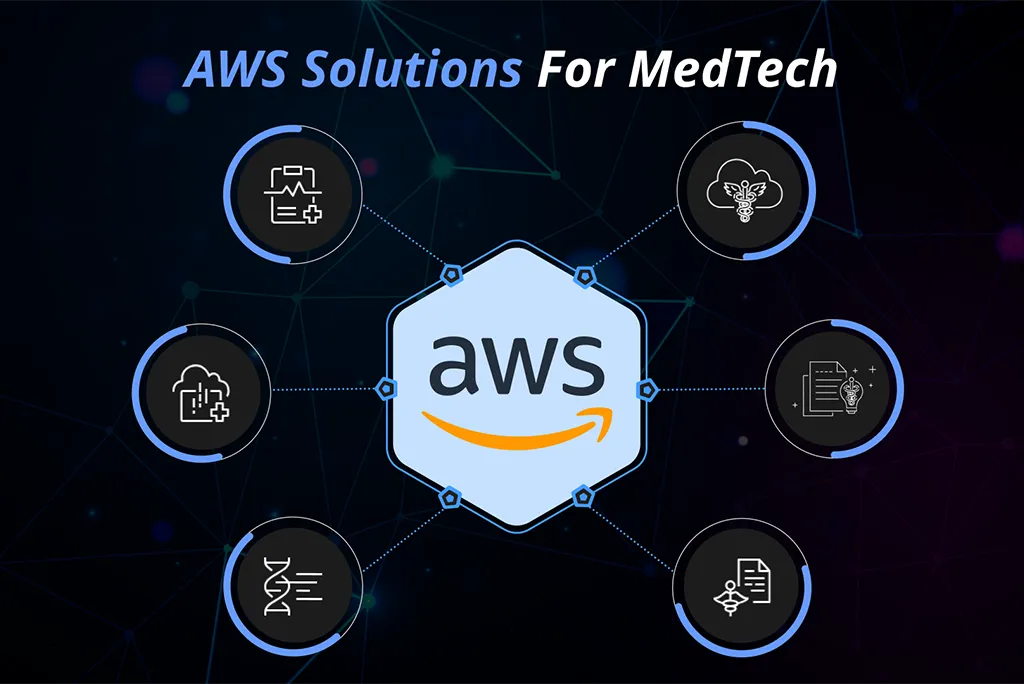
Revolutionizing Continuous Monitoring Innovations: Evaluating AWS Solutions for MedTech Avakash Dekavadiya In today’s rapidly evolving healthcare landscape, continuous monitoring devices play a pivotal role in patient care, providing real-time insights and improving clinical outcomes. However, managing and analyzing the vast amount of health data generated by these devices can be challenging, often limiting their full potential. Also, with the increasing competition, the need for compliance, and the urge to create integrated solutions that lead to optimum health data interoperability, medical device companies need to make informed and business goals-oriented decisions regarding their technology. But, these decisions are also surrounded by many controllable and uncontrollable factors such as: Continuous Monitoring Platforms and Their Struggles with Interoperability: Inconsistent data and lack of standardized data structure Patient privacy and security Lack of Communication Standards Across EHRs Research found that currently there are no healthcare interoperability standards intended for all providers across the United States! Also, in a survey by Gartner it was found that in the United States in 2022, almost 70 percent of digital health companies reported too many gaps when obtaining patient data from a third-party vendor. With the growing challenges and opportunities, Medical Device companies are adapting AWS solutions. AWS offers medical device companies the tools and capabilities to enhance device health data and better serve health providers. Let’s explore how AWS solutions can revolutionize continuous monitoring and drive innovation in patient care: 1. Automating Clinical Documentation with AWS HealthScribe Manual documentation processes can be cumbersome and time-consuming, diverting resources away from innovation and patient care. By automating clinical documentation with AWS HealthScribe, medical device companies can streamline workflows, reduce administrative burden, and accelerate time-to-market for new devices. HealthScribe empowers your team to focus on what matters most: developing innovative solutions that improve patient outcomes. By automating clinical documentation, medical device companies can enhance efficiency, reduce costs, and deliver value to health providers. 2. Deriving Insights from Device Health Data with AWS HealthLake Device health data contains valuable insights that can inform treatment decisions, optimize device performance, and drive product innovation. AWS HealthLake enables medical device companies to securely store, transform, and analyze device health data at scale, empowering them to derive actionable insights and deliver value to health providers. HealthLake unlocks the potential of device health data, allowing medical practitioners gain deeper insights into patient health and device performance. By analyzing data trends and patterns, they can identify opportunities for improvement, tailor our solutions to meet the needs of health providers, and drive better patient outcomes. 3. Advancing Remote Monitoring Solutions with AWS Healthmaging: Remote monitoring solutions are transforming patient care, enabling health providers to monitor patients remotely and intervene when necessary. AWS HealthImaging offers purpose-built storage and APIs for storing, analyzing, and sharing medical images in the cloud, empowering medical device companies to develop scalable and efficient remote monitoring solutions. HealthImaging revolutionizes remote monitoring, allowing us to deliver real-time insights and interventions to health providers. By leveraging cloud-native medical imaging applications, we can enhance patient care, improve clinical workflows, and drive innovation in remote monitoring. 4. Addressing Core Health IT Challenges with AWS Solutions Security, compliance, interoperability, and disaster recovery are critical concerns for medical device companies, particularly when managing sensitive health data. AWS offers a suite of core health IT solutions designed to address these challenges, enabling companies to operate securely and efficiently in a highly regulated industry. With AWS solutions, Medical Device companies can address core health IT challenges and focus on driving innovation in patient care. By leveraging purpose-built solutions on a trusted and secure cloud platform, they can enhance data security, ensure regulatory compliance, and improve operational efficiency. 5. Extracting Insights from Device Health Data with Amazon Comprehend Medical Extracting insights from device health data is essential for optimizing device performance, improving patient outcomes, and driving innovation in continuous monitoring. Amazon Comprehend Medical offers a HIPAA-eligible NLP service that automatically extracts health data from device-generated text, empowering medical device companies to unlock actionable insights and deliver value to health providers. Comprehend Medical transforms device health data into actionable insights, allowing Device Companies to optimize device performance and improve patient care. By leveraging NLP capabilities, they can identify trends, patterns, and anomalies in device data, enabling them to proactively address issues, tailor our solutions to meet the needs of health providers and drive innovation in continuous monitoring. There are many such Medical Device companies creating their MedTech solutions with the power of AWS. Not just that, even integration engines such as Redox, Rhapsody, and others have created their products using AWS. The inhouse AIMDek DaaS accelerator that we have developed is made using many AWS services and solutions. Looking to leverage AWS for your medical devices and want to optimize its value for MedTech? We at AIMDek can help you with strategic consulting in all aspects of cloud such as migration, cloud setup, AWS service selection, app development and others with our MedTech experience and expertise. To start your cloud journey, drop us an email at Marketing@aimdek.com skip render: ucaddon_next_prev_post
AWS Vs. Azure- Which Cloud Service Provider Is Better?

AWS Vs. Azure- Which Cloud Service Provider Is Better? Avakash Dekavadiya Accelerating digital transformation has speed up the cloud computing services leverage across the globe. The latest pandemic makes it vital for businesses to adopt cloud computing services to move forward in an uncertain times. Thanks to scalability, flexibility, security, and support provided by public cloud vendors. There are many public cloud vendors that are enabling businesses to grow and innovate while staying in budget and with great agility. The worldwide end-user spending on public cloud services is forecasted to grow by 20.7% and reach a total of $591.8 billion in 2023. The market share gives insights into the cloud platform leveraged by businesses worldwide. Cloud sustainability, AI adoption, and enablement of remote working are the drivers that are ramping up cloud usage. Two major players- AWS and Azure in the cloud computing industry are making billions and allowing businesses to modernize their services with next-gen technology. The two cloud computing solutions are leading the world but deciding which one is the best- it’s a little tricky. In this blog, we help you find out which is the best cloud computing solution provider by knowing the differences between the two vendors and which vendor perfectly meets your business needs. Let’s dive in! What is Azure computing service? Microsoft Azure services comprise a large network of virtual machines that are open-source in nature. Azure computing services work in rhythm with Windows and Linux servers. The compatibility with third-party servers such as Oracle and SAP makes working with Azure effortless. The support for hybrid cloud allows developers to meet a wide range of business IT needs. Connect with Microsoft Azure cloud service providers for Microsoft Azure consulting services that help you know which solution fits the bill. What is AWS computing service? AWS abbreviated as amazon elastic compute cloud that works in sync with Amazon services. AWS meet the dynamic requirements of the users with auto-scaling monitor feature. Making the users to pay for the computing needs make it server as cost-effective option. The support for burstable performance is a good, budget-friendly alternative for the business apps need low CPU usage. It aces at delivering high performance due to compute-optimized virtual machine type that can handle loads of applications and data processing. Which cloud platform is the best- Azure Vs. AWS? Let’s accept it: Every cloud vendor has its pros and cons of using it. Knowing their advantages and disadvantages are not efficient for selecting the best cloud vendor. The in-depth comparison of two cloud majors based on important attributes helps businesses choose the right cloud platform. Availability With cloud computing services leverage, businesses think that they can work seamlessly across the world without any glitch in data storage and sharing. However, it’s not true entirely. The cloud computing service providers operate in specific countries that allow you to digitize services using cloud vendors in specific zones only. For instance, AWS is available geographically in South America, North America, Middle East, Europe, Africa, and Asia pacific regions. On the other hand, if you are looking for Microsoft Azure cloud solutions or Microsoft azure cloud migration, the businesses operating in USA, Canada, Mexico, Brazil, and Chile can get benefited as Azure provides its services in this regions. When you are selecting cloud service provider, be clear that they are providing the services in the locations where your business is operating. Support for hybrid cloud The major issue that deters enterprises from adopting cloud solution is vendor lock-in which doesn’t allow them to use another cloud service provider. The support for multiple clouds provided by these public cloud vendors resolves this problem. Microsoft opened the gates for Azure users to leverage other cloud services alongside Azure services. For instance, Azure users can run cloud solutions on Google cloud or AWS with easy access to required hardware and software for AWS services from the data center. The data center can improve organizations operability with code, APIs, and portal sharing. AWS has released AWS outposts services for the physical premises that are pre-configured racks, which makes hybrid cloud usage possible. AI technology leverage Artificial intelligence technology and its subset- machine learning technology usage is continuously increasing across all the industry verticals. The AI technology is making tedious work automated and done precisely in short time with a range of ML platforms. For instance, AI chatbots bringing amazing results in customer support services while connecting the dots. Both- Azure and AWS cloud services provides ML platforms- Guided development model, MLOps, and full ML workbench. The platforms various cloud services such as speech to text, text to speech, chatbot, text analytics, translation, personalization, image/video analytics, and anomaly detection. To support the ML-powered cloud services, AWS provided AWS Trainium and ASIC Inferential hardware as machine learning processors for ML inferences. Azure leverages FPGA-based virtual machines for ML work handling as they are power-efficient as compared to GPUs. Microsoft Azure consulting services help you know better about making the most out of the ML services of Azure. Cloud storage capacity Cloud services become the choice of businesses because of the unlimited storage capacity they provide in a cost-effective manner. Cloud computing facilitates scaling up or down the storage capacity anytime, anywhere, which is implausible with local storage. It takes a few seconds for businesses to securely store a growing amount of data on cloud servers. AWS has an S3 system for data storage. The storage capacities are scaled up or down with an elastic file storage solution. The data migration services, SQL-supported database, relational database support, glacier backup service, and snowball edge are the AWS storage solutions for better data storage. Azure provides data leakage storage and queue storage for storing a large amounts of data on the cloud. For unstructured data storage, Blob storage is provided. It also features SMB protocol-based azure file storage that acts as a distributed file system for unstructured data storage. Robust security Cloud solutions are known as the most secure storage option as opposed to a local physical devices. However,